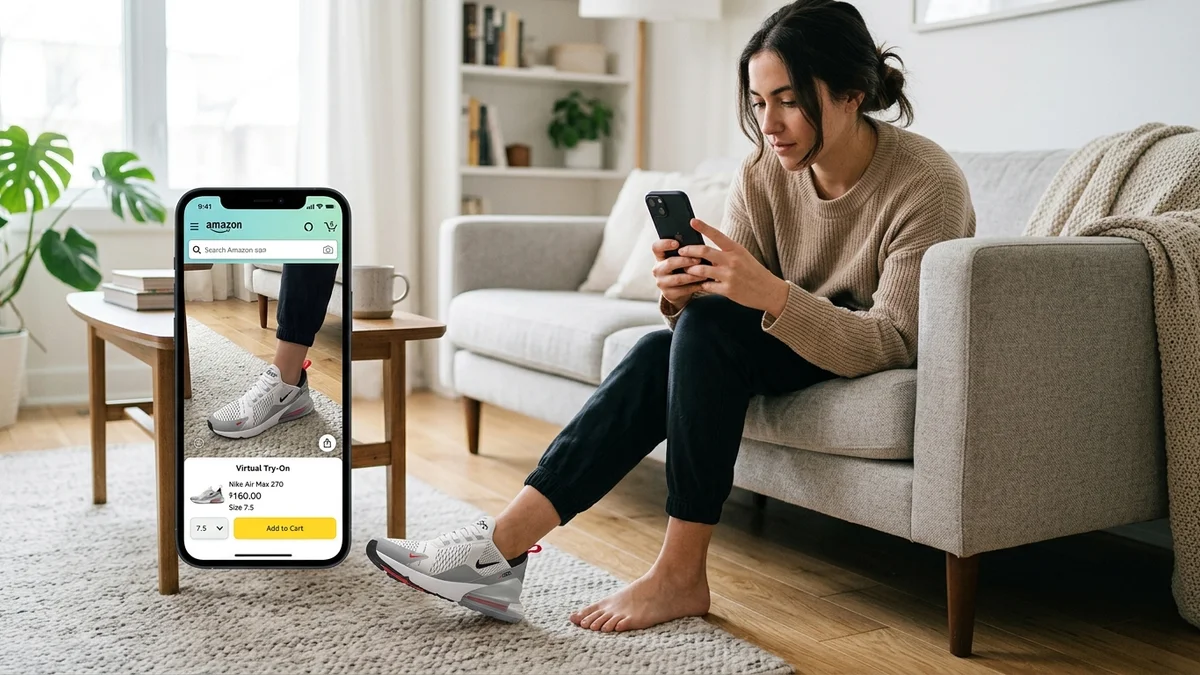
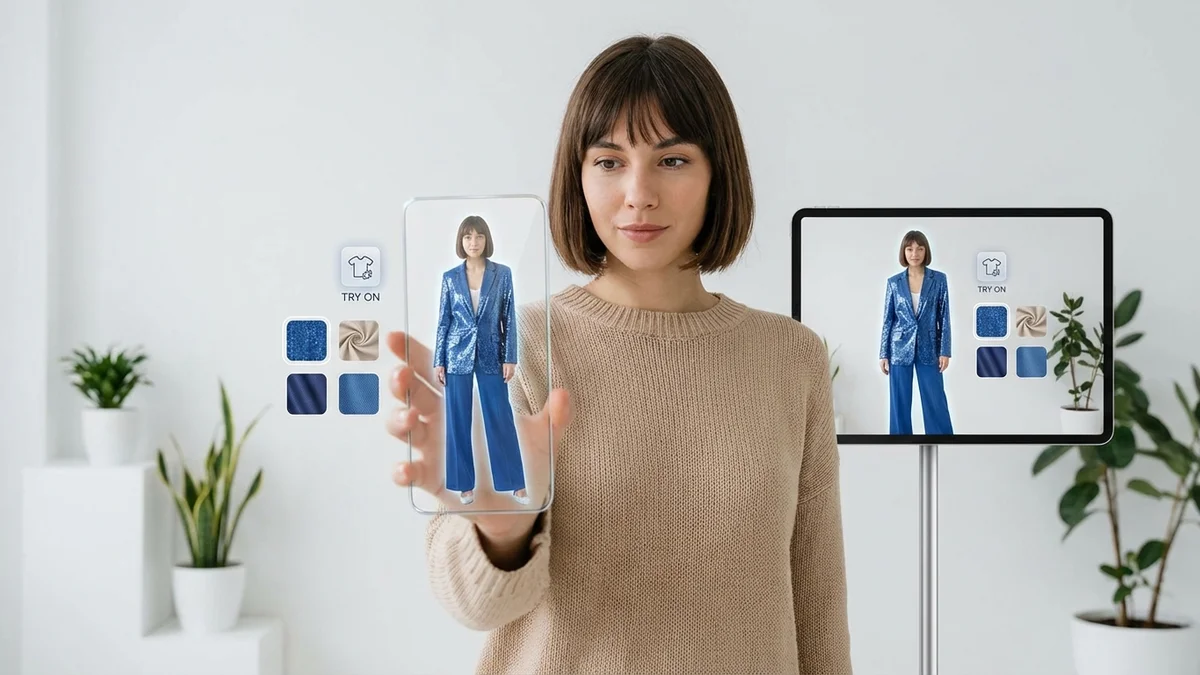
Online shopping gives you access to millions of clothing items. But one question always remains: will this actually look good on me?
Virtual try-on technology answers that question. It lets you see exactly how clothes, shoes, glasses, and accessories will look on your body before you click "buy."
This complete guide covers everything you need to know about virtual try-on in 2026. You'll learn how the technology works, which apps deliver the best results, and how to use virtual try-on to shop smarter and reduce returns.
At a Glance
Virtual try-on uses AI and augmented reality to overlay clothing onto your photo or video in real time. The technology analyzes your body shape and shows how garments will drape, fold, and fit on you specifically. With the market projected to reach $48.8 billion by 2030, virtual try-on is rapidly becoming essential for online shopping—reducing returns by up to 64% and increasing purchase confidence for millions of shoppers worldwide.
What Is Virtual Try-On Technology?
Virtual try-on (VTO) is a digital tool that lets you preview how products will look on you without physically wearing them. You upload a photo or use your device's camera, select an item, and see it realistically placed on your body within seconds.
The technology bridges the gap between online convenience and the in-store fitting room experience. Instead of imagining how something might look based on a model's photo, you see it on yourself.
Virtual try-on works for multiple product categories:
| Category | How It Works | Accuracy Level |
|---|---|---|
| Eyewear | Face mapping positions frames on your face | Very High |
| Makeup | Color analysis shows shades on your skin | Very High |
| Clothing | Body detection overlays garments on you | High |
| Shoes | Foot tracking displays footwear | High |
| Jewelry | Body part detection places accessories | Very High |
| Watches | Wrist detection shows timepieces | Very High |
The technology has evolved significantly. Early versions simply pasted flat images onto photos. Modern AI-powered solutions understand fabric behavior, body proportions, and realistic lighting to create convincing visualizations.
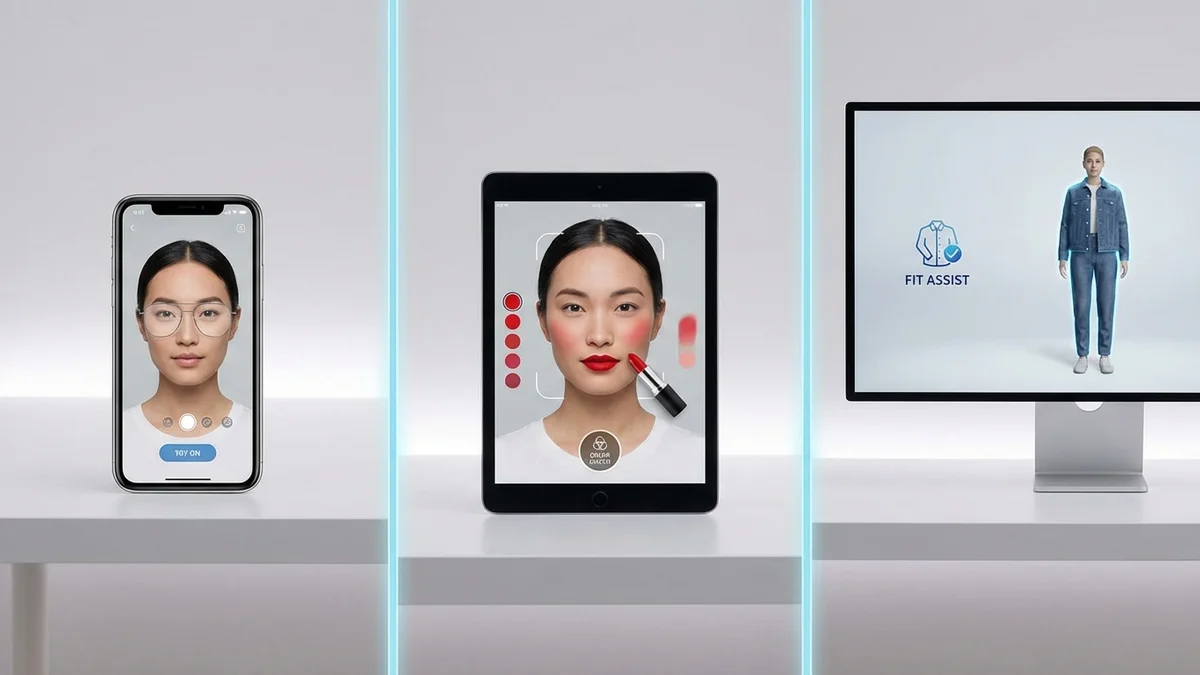
Key Takeaway: Virtual try-on transforms online shopping by letting you see products on your own body, not just on models.
How Does Virtual Try-On Work?
Virtual try-on combines several advanced technologies to create realistic product visualizations. Understanding how it works helps you get better results and choose the right tools for your needs.
The process involves three core technologies working together:
Computer Vision
When you upload a photo or start a live video session, computer vision software analyzes your image. It identifies key body landmarks like your shoulders, chest, waist, hips, and limbs. This creates a digital map of your body's proportions and positioning.
For face-based products like glasses or makeup, the software detects facial landmarks including eye position, nose bridge, jawline, and skin tone.
Augmented Reality (AR)
Augmented reality overlays the virtual product onto your real image. The system tracks your position and movements, adjusting the product placement in real time. When you move, the virtual item moves with you—maintaining realistic positioning and perspective.
Artificial Intelligence (AI)
AI handles the complex task of making products look natural on your body. Machine learning models understand how different fabrics drape, stretch, and create shadows. They predict how a garment will behave based on your body shape and posture.
Modern AI can simulate:
- Fabric draping and folding
- Wrinkles and creases
- Shadow and highlight placement
- Size adjustments for different body types
- Color accuracy under various lighting
| Technology | Function | Example Application |
|---|---|---|
| Computer Vision | Detects body landmarks | Identifies shoulder width |
| Augmented Reality | Overlays products | Places shirt on torso |
| Machine Learning | Predicts fit behavior | Shows how fabric drapes |
| 3D Modeling | Creates product renders | Displays accurate colors |

Key Takeaway: Three technologies—computer vision, AR, and AI—work together to create realistic virtual try-on experiences.
Does Virtual Try-On Accurately Show How Clothes Fit?
Accuracy varies depending on the product type, the technology used, and your photo quality. Understanding these factors helps you set realistic expectations and get the best results.
Virtual try-on excels at showing how items look on you. It accurately represents colors, patterns, styles, and proportions. You can quickly determine if a design suits your taste and body type.
However, the technology has limitations when predicting exact physical fit:
What Virtual Try-On Does Well
- Visual appearance: Accurately shows colors, patterns, and overall style
- Proportions: Demonstrates how a garment's length and width relate to your body
- Style compatibility: Helps you see if a design suits your personal aesthetic
- Comparison shopping: Lets you try multiple items quickly without physical effort
Current Limitations
- Fabric feel: Cannot simulate texture, weight, or material quality
- Precise sizing: May not predict if something will be tight or loose in specific areas
- Movement behavior: Limited ability to show how clothes move when you walk or sit
- Construction details: Difficult to assess seams, buttons, or closure quality
Accuracy by Product Category
| Product Type | Visual Accuracy | Fit Prediction | Best For |
|---|---|---|---|
| Glasses/Sunglasses | 95%+ | 90%+ | Frame shape selection |
| Makeup/Lipstick | 90%+ | N/A | Color matching |
| Jewelry | 90%+ | 85%+ | Style preview |
| Tops/Shirts | 85%+ | 70-80% | Style decisions |
| Dresses | 85%+ | 65-75% | Design preview |
| Pants/Jeans | 80%+ | 60-70% | Style and length |
| Shoes | 85%+ | 60-70% | Design preview |
The technology continues improving rapidly. Google's latest virtual try-on can simulate fabric draping, folding, and wrinkle formation with impressive realism. Still, for critical fit decisions—especially for formal wear or expensive purchases—combining virtual try-on with size guides and customer reviews remains the smartest approach.
Key Takeaway: Virtual try-on accurately shows visual appearance and style compatibility, though physical fit prediction requires supplementary sizing information.
Benefits of Virtual Try-On for Online Shoppers
Virtual try-on delivers practical advantages that improve your shopping experience and help you make better purchasing decisions.
Save Time and Effort
Traditional shopping requires traveling to stores, finding items, waiting for fitting rooms, and physically changing clothes multiple times. Virtual try-on lets you preview dozens of items in minutes from your couch.
You can browse entire collections and quickly eliminate items that don't suit your style. This focused approach means less wasted time and more efficient shopping sessions.
Reduce Returns and Waste
Returns create hassle for you and environmental impact through shipping and processing. When you see how items look on you before ordering, you make better decisions.
According to the National Retail Federation's 2025 analysis, virtual try-on implementations reduce returns by 20-30% on average.
This translates to:
- Fewer trips to return items
- Less packaging waste
- Reduced carbon emissions from shipping
- More satisfaction with purchases
Shop More Confidently
The biggest online shopping challenge is uncertainty. Will this color suit me? Will this style work with my body type? Virtual try-on removes the guesswork.
You gain confidence to:
- Try bolder styles you'd normally skip
- Explore new brands without risk
- Make faster purchase decisions
- Feel satisfied with your choices
Experiment Without Commitment
Want to see yourself in a neon green blazer? Curious about how you'd look with different jewelry styles? Virtual try-on lets you experiment freely.
This experimentation often leads to discoveries. You might find that colors or styles you'd never considered actually look great on you.

Key Takeaway: Virtual try-on saves time, reduces returns, builds confidence, and enables risk-free style experimentation.
Virtual Try-On Market Growth and Statistics
The virtual try-on industry is experiencing explosive growth as retailers and consumers embrace the technology. These statistics demonstrate why virtual try-on is becoming essential for online shopping.

Market Size
| Year | Market Value | Growth |
|---|---|---|
| 2024 | $12.5 billion | Baseline |
| 2025 | $12.09 billion | +26.4% |
| 2029 | $30.86 billion | +26.4% CAGR |
| 2030 | $48.8 billion | +25.5% CAGR |
| 2034 | $108.5 billion | (projected) |
Consumer Behavior Impact
- 68% of shoppers are more likely to buy from retailers offering virtual try-on (McKinsey 2025)
- 71% of consumers would shop more frequently if AR try-on is available
- 61% of customers prefer stores with augmented reality experiences
- 92% of Gen Z expresses interest in using virtual try-on
Business Results
Brands implementing virtual try-on see significant improvements:
| Metric | Improvement |
|---|---|
| Conversion rate increase | Up to 90% |
| Return rate reduction | 20-64% |
| Add-to-cart rate | Up to 600% increase |
| Customer engagement | 200%+ increase |
| Average order value | 33% higher |
Category Adoption
Footwear virtual try-on jumped from 10% adoption in 2023 to nearly 40% by early 2025. Makeup and eyewear categories led early adoption and continue showing strong engagement.
Key Takeaway: Virtual try-on is a rapidly growing $48.8 billion industry that significantly improves both customer satisfaction and business performance.
Best Virtual Try-On Apps and Tools in 2026
Choosing the right virtual try-on tool depends on what you want to try and how you prefer to shop. Here are the leading options available today.
For General Clothing
Google Shopping Try-On Google integrated virtual try-on directly into search results. Upload a selfie, select your size, and see clothing items on a digital version of yourself. It's free and works with billions of apparel listings.
CheckMyFitCheckMyFit offers free virtual try-on for anyone wanting to visualize outfits before purchasing. Upload your photo, select clothing items, and see how they look on your body. The AI-powered tool processes images in 10-15 seconds, making it easy to compare multiple styles quickly. No app download required—it works directly in your browser.
BetterMirror Uses advanced 3D imaging to create a virtual model matching your body shape. Priced at $9.99/month with personalized fit recommendations.
For Specific Categories
| Category | Best App | Key Feature | Price |
|---|---|---|---|
| Eyewear | Warby Parker | Free home try-on + virtual | Free |
| Makeup | YouCam | Real-time AR try-on | Free/Premium |
| Shoes | WANNA | 3D shoe visualization | Free |
| Watches | TRYO | AR wrist visualization | Free |
| Fashion | Vybe | Safari extension for any site | Free |
How They Compare
| App | Clothing | Accessories | Real-Time | Free Tier |
|---|---|---|---|---|
| Google Shopping | Yes | Limited | Yes | Yes |
| CheckMyFit | Yes | Yes | No | Yes |
| BetterMirror | Yes | No | No | Trial |
| Vybe | Yes | Yes | Yes | Yes |
| YouCam | Limited | Yes | Yes | Yes |
Most apps offer free basic features. Premium subscriptions typically add higher quality renders, more product options, or advanced body analysis.
Key Takeaway: Google Shopping and CheckMyFit offer the best free options for clothing, while specialty apps excel at specific categories like eyewear or makeup.
How to Use Virtual Try-On: Step-by-Step Guide
Getting the best results from virtual try-on requires proper setup and technique. Follow these steps for accurate visualizations.
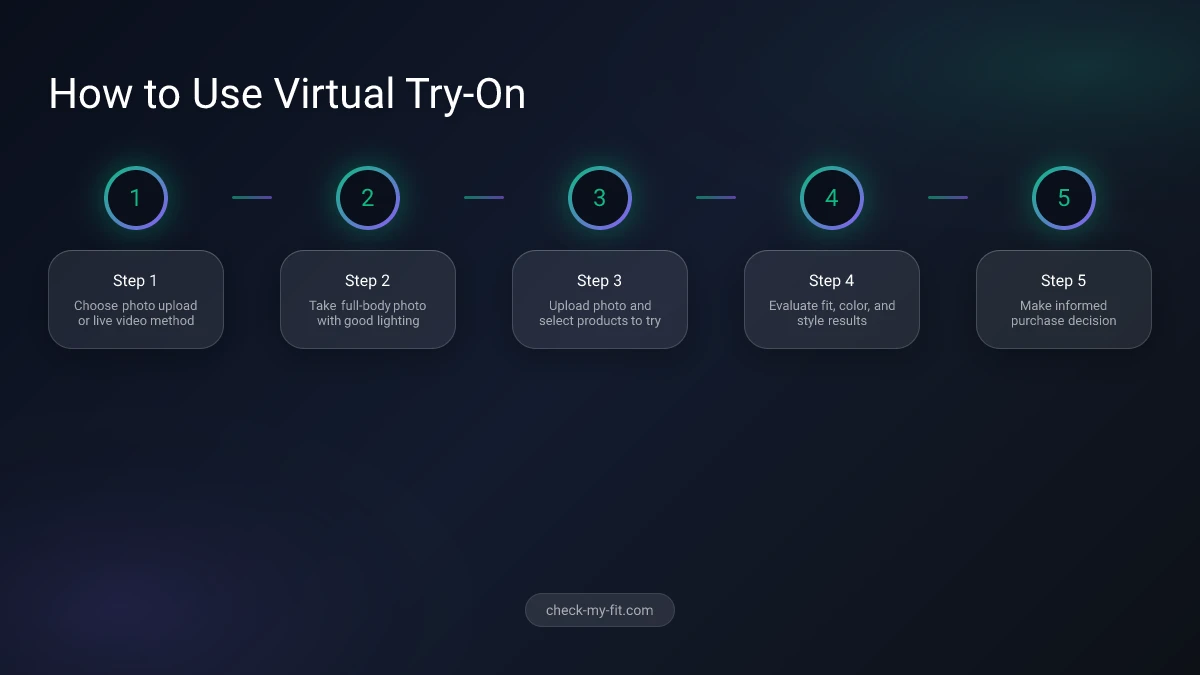
Step 1: Choose Your Method
You have two main options:
- Photo upload: Take or select a photo for AI processing
- Live video: Use your camera for real-time try-on (better for accessories)
For clothing, photo uploads typically produce better results because you can ensure optimal lighting and positioning.
Step 2: Take the Right Photo
Your photo quality directly affects results. Follow these guidelines:
Do:
- Use a full-body shot for clothing
- Stand against a plain, uncluttered background
- Ensure bright, even lighting (natural light works best)
- Wear fitted clothing so the AI can detect your body shape
- Face the camera directly with arms slightly away from body
Don't:
- Use blurry or low-resolution images
- Wear baggy clothes that hide your shape
- Include other people in the frame
- Use photos with busy backgrounds
- Take photos in dim lighting
Step 3: Upload and Select Products
Once your photo is ready:
- Open your chosen virtual try-on app or website
- Upload your photo following the app's instructions
- Browse available products or upload specific items you want to try
- Wait for AI processing (typically 10-30 seconds)
Step 4: Evaluate Results
When viewing virtual try-on results:
- Check overall proportions and fit appearance
- Look at color compatibility with your skin tone
- Consider style match with your personal aesthetic
- Compare multiple options side-by-side if possible
- Save favorites for later reference
Step 5: Make Your Decision
Virtual try-on helps narrow choices, but consider:
- Reading size guides and reviews for physical fit
- Checking return policies before purchasing
- Ordering your usual size unless reviews suggest sizing up/down
Key Takeaway: Quality photos with good lighting and plain backgrounds produce the most accurate virtual try-on results.
Tips for Getting the Best Virtual Try-On Results
Beyond basic technique, these advanced tips help you maximize accuracy and usefulness.
Lighting Matters Most
Poor lighting creates the biggest problems for virtual try-on accuracy. The AI needs to clearly see your body outline and skin tone.
Best lighting setup:
- Face a window during daytime for natural light
- Avoid overhead lighting that creates shadows
- Don't stand in front of a bright window (creates silhouette)
- Ensure even light across your entire body
Match Your Typical Style
When taking reference photos, wear clothing similar to what you'd wear with the items you're trying on. Wear fitted jeans if trying on tops. Wear a fitted top if trying on bottoms.
This helps you visualize complete outfits rather than isolated pieces.
Try Multiple Angles
Some apps let you upload multiple photos. Use this feature to see how items look from different perspectives. Front, side, and three-quarter angles provide comprehensive views.
Use Consistent Settings
If comparing multiple items, use the same photo and same viewing conditions. This ensures fair comparisons without variables affecting your perception.
Combine with Size Information
Virtual try-on shows appearance, not physical fit. Always cross-reference with:
- Brand size charts
- Customer reviews mentioning fit
- Your measurements compared to product dimensions
- Return policies in case adjustments needed
Test with Items You Own
Many apps let you try on items you already have. This helps calibrate your expectations—see how accurately the app renders clothes you know well, then apply that understanding to new items.
Key Takeaway: Combine optimal lighting, consistent photo conditions, and supplementary sizing information for the most reliable virtual try-on experience.
How CheckMyFit Makes Virtual Try-On Easy
While many virtual try-on tools focus on retailers or require complex setup, CheckMyFit prioritizes simplicity for everyday shoppers.
What Makes CheckMyFit Different
No App Download Required CheckMyFit works directly in your browser. Visit the website, upload your photo, and start trying on clothes immediately. No storage space, no updates, no account creation required.
Fast Processing The AI processes your image in 10-15 seconds. You can try multiple outfits in minutes without long wait times.
Works with Any Clothing Unlike retailer-specific tools, CheckMyFit lets you visualize items from any source. Curious about a dress from a boutique website? Upload the clothing image and see how it looks on you.
Free to Use No subscription fees or premium tiers for basic virtual try-on. You can experiment freely without commitment.
How to Use CheckMyFit
- Go to check-my-fit.com
- Upload a full-body photo of yourself
- Upload or select clothing you want to try
- View the result in seconds
- Save or share your favorite looks
Whether you're planning outfits, considering a purchase, or just having fun with fashion, CheckMyFit provides accessible virtual try-on for everyone.
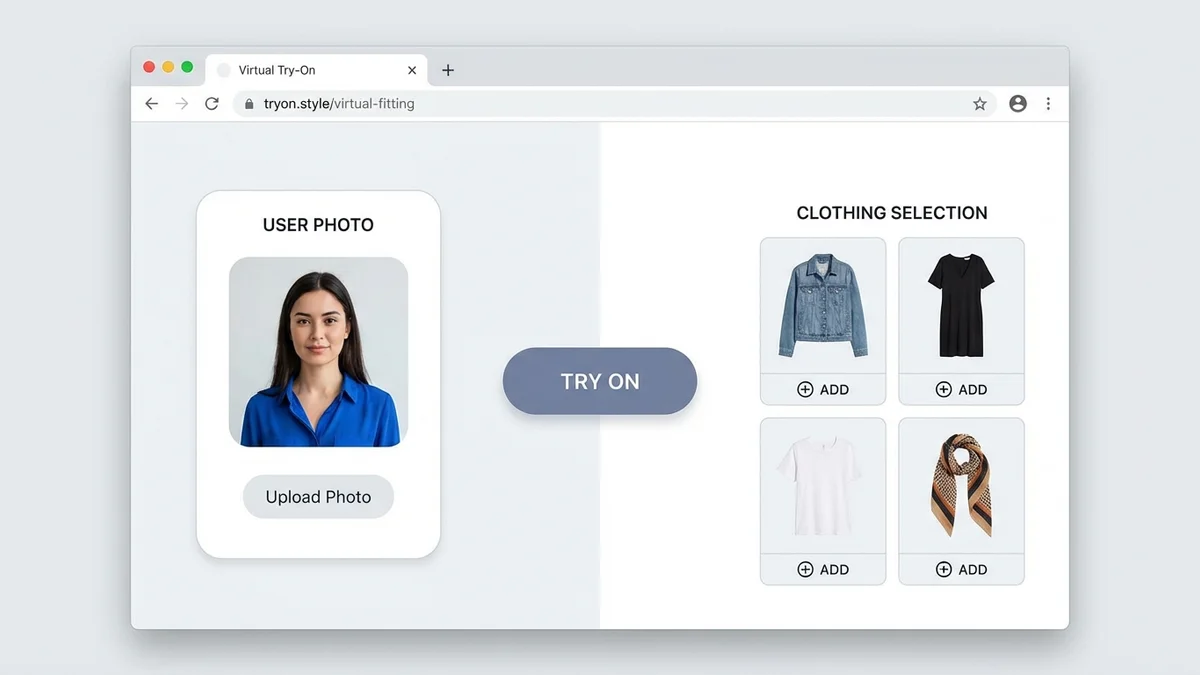
Key Takeaway: CheckMyFit offers free, browser-based virtual try-on that works with any clothing image—no app download or subscription required.
Recommended Products for Virtual Try-On
These accessories help you get the best results when using virtual try-on apps and taking photos for AI processing.

Full-length mirror ideal for capturing outfit photos. The arched design adds style while the large surface shows your complete look for accurate virtual try-on uploads.
View on Amazon →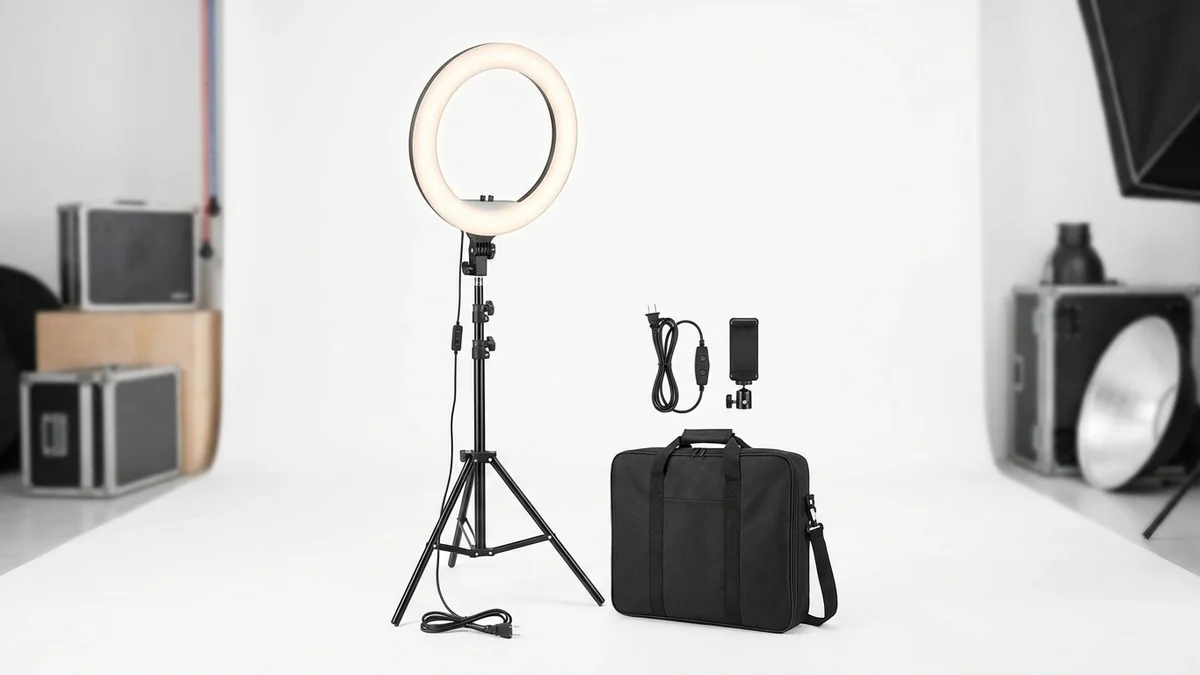
Professional ring light provides even, flattering illumination for outfit photos. Eliminates shadows and improves virtual try-on accuracy with adjustable brightness settings.
View on Amazon →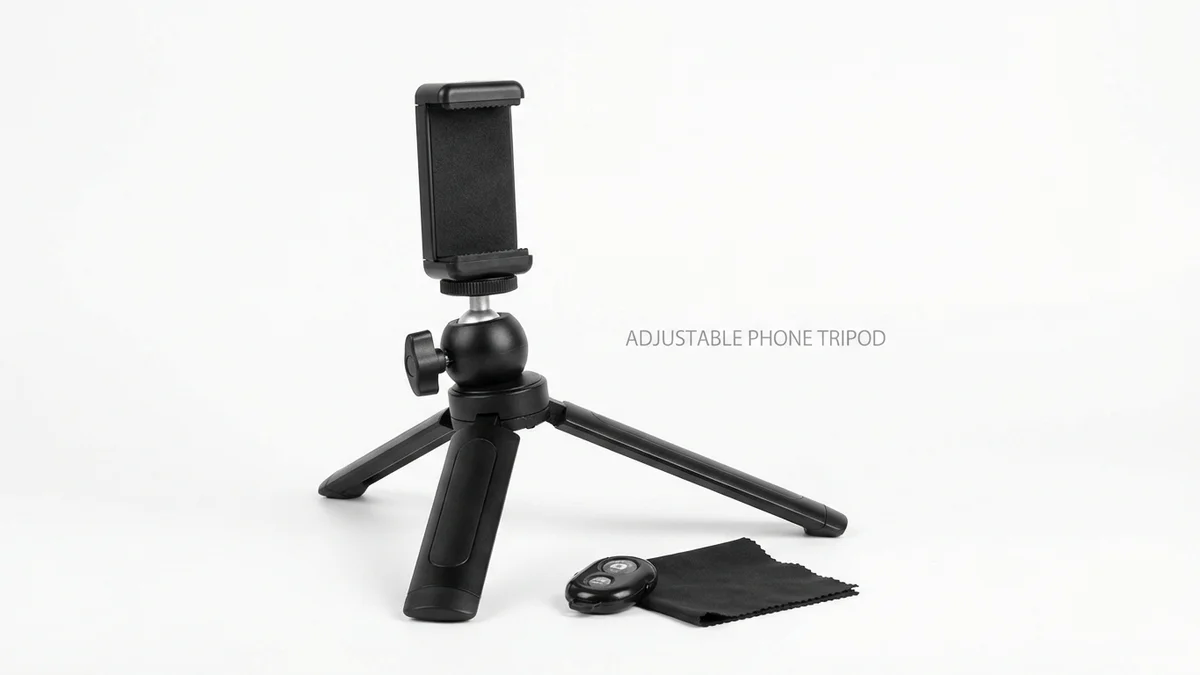
Adjustable phone tripod with wireless remote for hands-free full-body photos. Height adjusts up to 51 inches for capturing complete outfits needed for virtual try-on.
View on Amazon →Frequently Asked Questions
What products can I virtually try on?
Virtual try-on technology works with clothing, shoes, eyewear, makeup, jewelry, watches, and accessories. Glasses and makeup offer the highest accuracy because they involve precise face mapping. Clothing try-on continues improving rapidly, with AI now simulating fabric draping and body-specific fit visualization.
Which brands use virtual try-on technology?
Major brands including Google Shopping, L'Oréal, Sephora, Warby Parker, Nike, Adidas, Prada, Louis Vuitton, and MAC offer virtual try-on. Walmart launched advanced clothing try-on in 2022. Most large fashion retailers now integrate some form of virtual try-on into their shopping experience.
Is virtual try-on free to use?
Many virtual try-on tools offer free basic features. Google Shopping virtual try-on is completely free. CheckMyFit provides free browser-based clothing try-on. Brand-specific apps like Warby Parker and WANNA are free. Premium apps like BetterMirror charge monthly subscriptions for advanced features.
Can I use virtual try-on on my phone?
Yes, most virtual try-on solutions work on smartphones. Many apps use your phone's camera for real-time AR try-on. Others let you upload photos taken with your phone. Browser-based tools like CheckMyFit work on any device with internet access, no app download required.
Does virtual try-on reduce returns?
Research consistently shows virtual try-on reduces returns significantly. The National Retail Federation's 2025 analysis found 20-30% average return reduction. Some implementations report up to 64% fewer returns. When shoppers see how items look on them before ordering, they make more confident purchases.
What is the difference between virtual try-on and augmented reality?
Virtual try-on is an application of augmented reality technology. AR is the broader technology that overlays digital content onto real-world views. Virtual try-on specifically uses AR to show products on your body or face. Not all AR is virtual try-on, but all virtual try-on uses AR technology.
How do I get the best results with virtual try-on?
Use high-quality, full-body photos with good lighting and plain backgrounds. Wear fitted clothing that shows your body shape. Face the camera directly with arms slightly away from your body. Natural daylight provides the best lighting. Consistent photo conditions help when comparing multiple items.
Which virtual try-on app is the best?
The best app depends on your needs. For general clothing, Google Shopping and CheckMyFit offer excellent free options. For glasses, Warby Parker leads. For makeup, YouCam provides comprehensive real-time try-on. For shoes, WANNA delivers realistic 3D visualization. Most users benefit from trying multiple apps for different categories.
Conclusion
Virtual try-on technology has transformed online shopping from a guessing game into an informed decision-making process. You can now see exactly how clothes, accessories, and beauty products will look on your body before spending money.
The technology continues improving rapidly. What was once a novelty is becoming essential for smart shopping. With the market projected to reach $48.8 billion by 2030, expect even more accurate and accessible virtual try-on experiences in coming years.
Start experimenting with virtual try-on today. Upload a photo to CheckMyFit and see how different styles look on you. Reduce returns, save time, and shop with confidence.
The fitting room of the future is already here—and it's in your pocket.