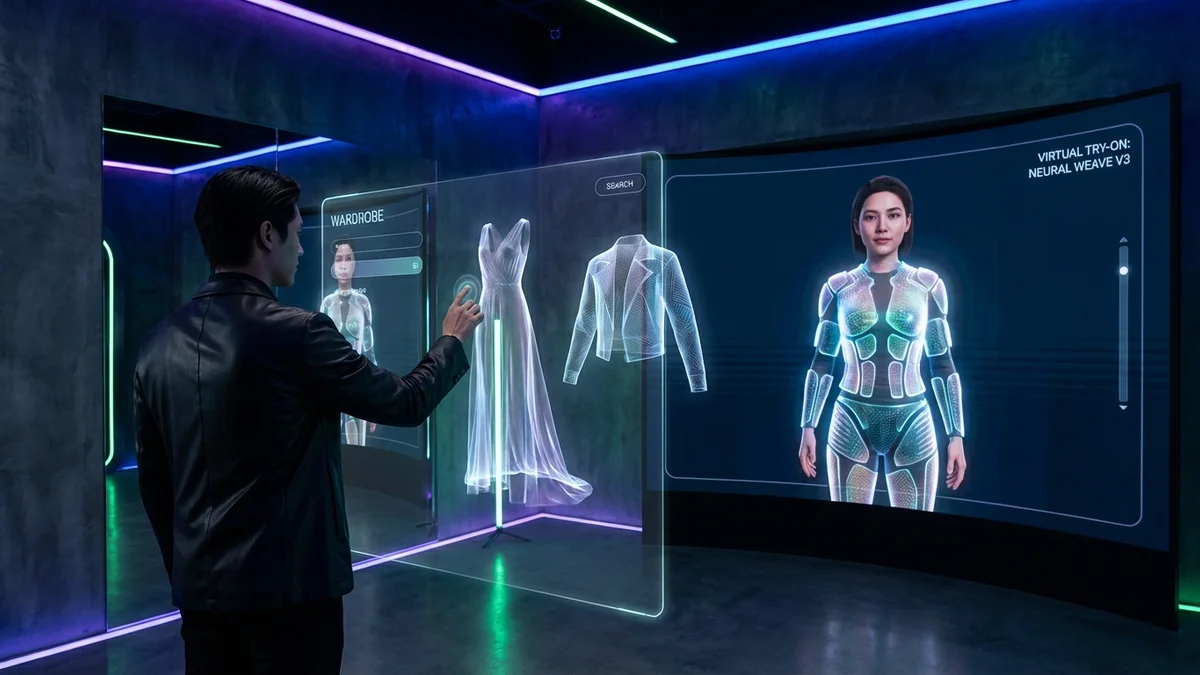
Getting dressed shouldn't feel like a daily struggle. Yet millions of people stand in front of their closets each morning, overwhelmed by choices or frustrated that nothing seems to work together.
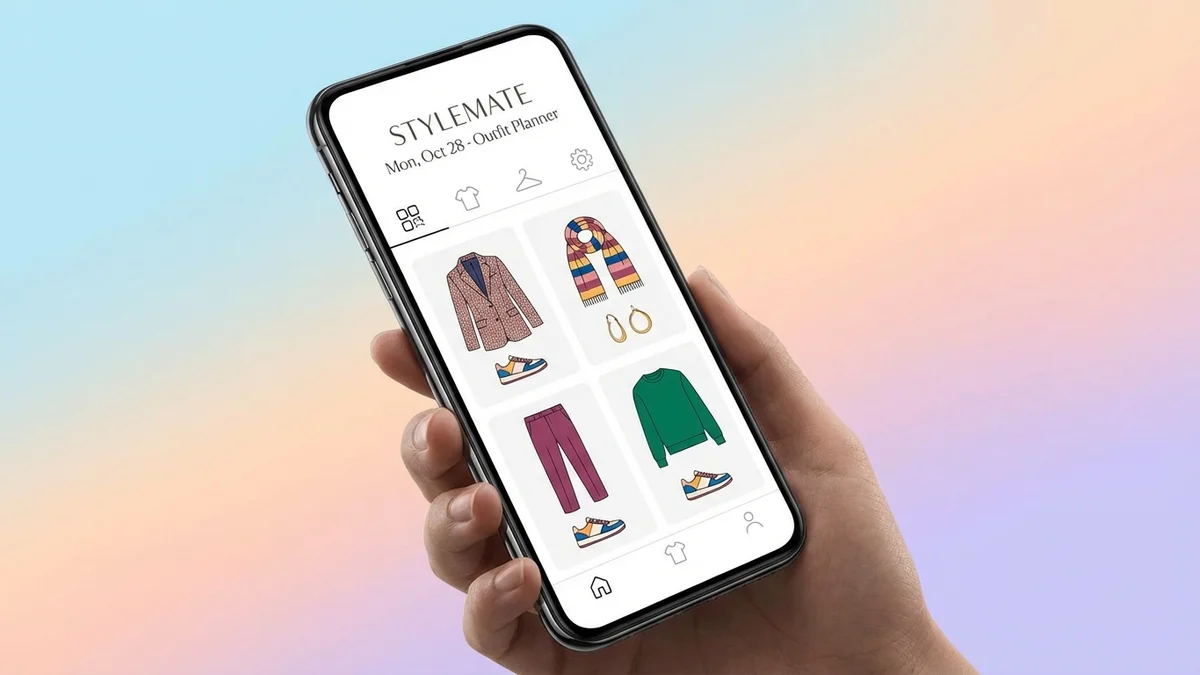
A create outfit app solves this problem. These digital tools transform your physical wardrobe into a virtual closet where you can mix, match, and plan outfits without pulling everything off hangers. The best apps use AI to suggest combinations you'd never think of, track what you wear, and even predict what works based on weather and occasions.
This complete guide covers everything about outfit creation apps in 2026. You'll discover which apps deliver real value, how to choose the right one for your needs, and practical steps to start building better outfits today.
At a Glance
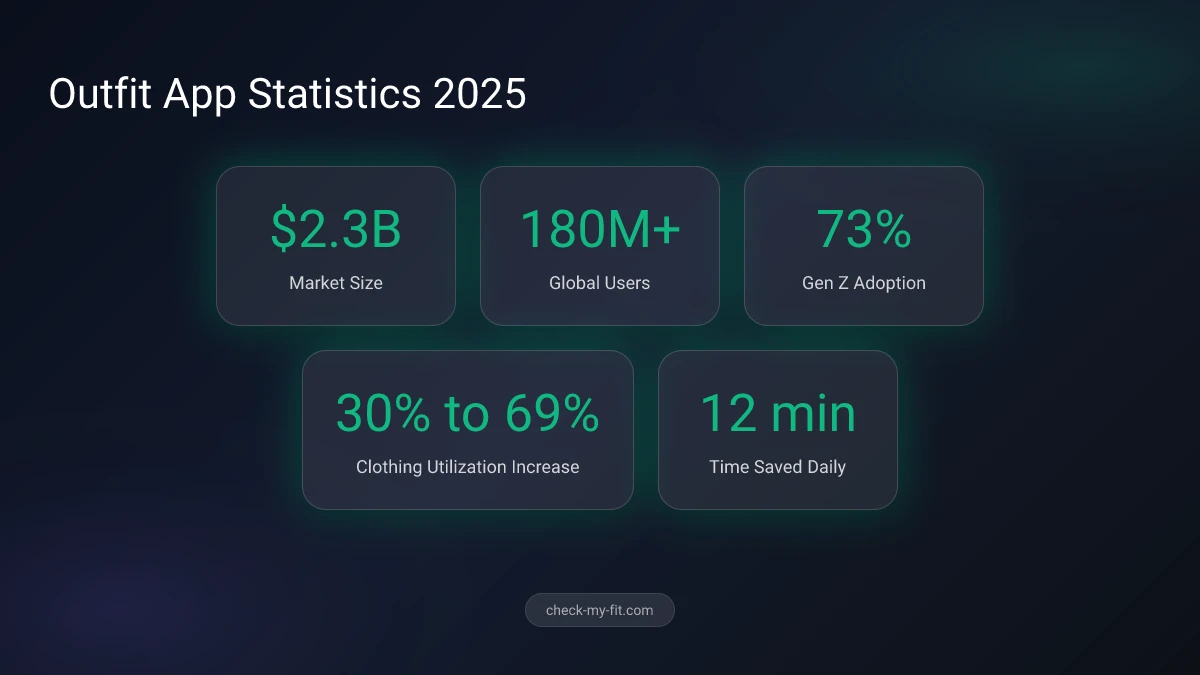
Create outfit apps digitize your wardrobe so you can plan outfits, get AI styling suggestions, and maximize your existing clothes. The market has grown to $2.3 billion in 2026 with over 180 million users worldwide. Top free options include Whering, Pureple, and Fits, while apps like Stylebook and Acloset offer premium features. Most apps work by photographing your clothes, removing backgrounds automatically, and letting you combine items on a digital canvas. The best apps integrate weather data, calendar planning, and AI recommendations to eliminate morning outfit stress.
What Is a Create Outfit App?
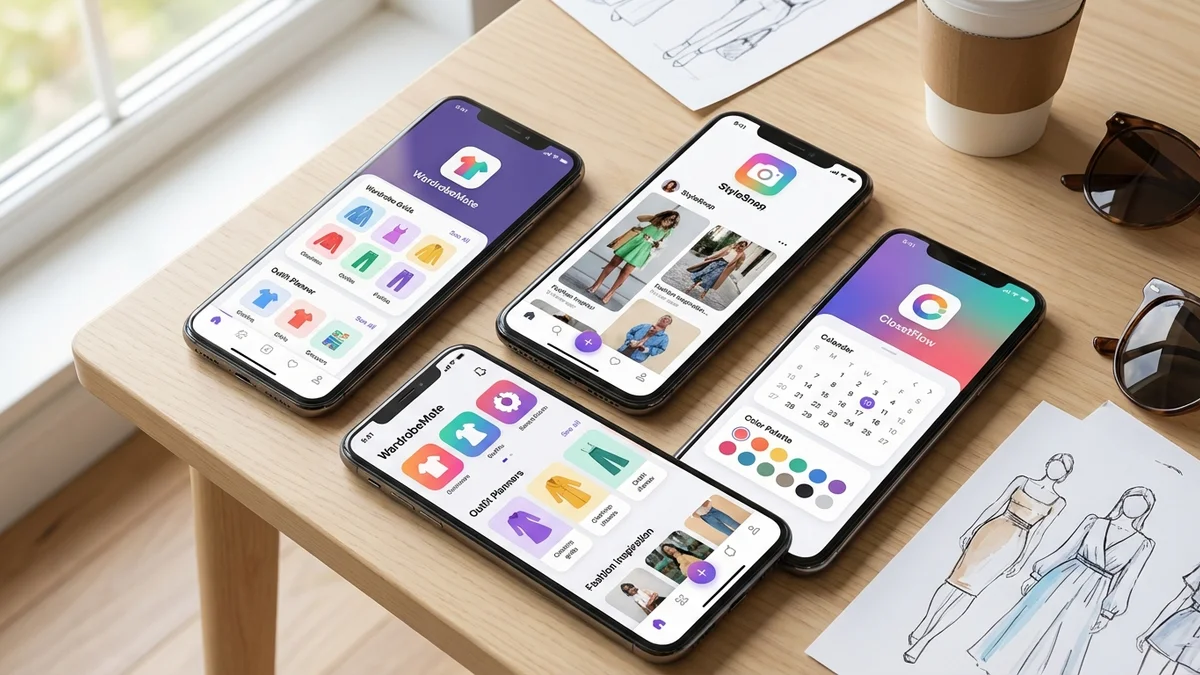
A create outfit app is a mobile application that lets you build, plan, and organize outfits digitally using your own clothes. You photograph items from your closet, and the app stores them in a virtual wardrobe where you can combine pieces, save outfit ideas, and plan what to wear for upcoming days or events.
These apps go far beyond simple photo storage. Modern outfit creators use artificial intelligence to analyze your clothing, suggest combinations, and learn your personal style preferences over time. Many integrate with weather services to recommend seasonally appropriate outfits and sync with your calendar to help you dress for specific occasions.
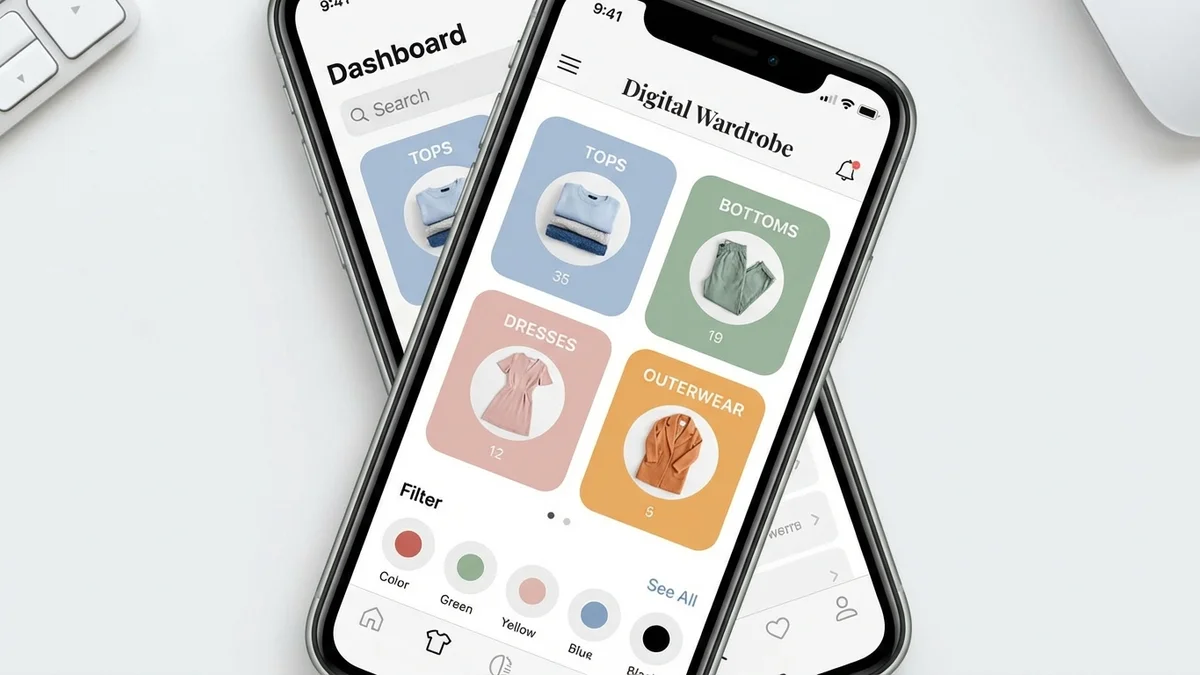
Key Takeaway: Create outfit apps transform your physical wardrobe into a digital styling tool, helping you discover new outfit combinations and plan ahead with AI assistance.
The Difference Between Wardrobe Apps and Outfit Apps
Many people use these terms interchangeably, but they serve slightly different purposes:
| App Type | Primary Function | Best For |
|---|---|---|
| Wardrobe App | Catalog and organize clothing inventory | Tracking what you own, decluttering |
| Outfit App | Create and plan outfit combinations | Daily styling, event preparation |
| Hybrid App | Both cataloging and outfit creation | Complete wardrobe management |
Most modern apps combine both functions. Apps like Whering, Fits, and Acloset let you catalog your wardrobe AND create outfits from those items. Pure organization apps like Closet+ focus mainly on inventory, while creative tools like Shuffles emphasize mood board creation over practical outfit planning.
How Do Outfit Planning Apps Work?
Outfit planning apps follow a simple process that transforms your physical clothes into a digital styling playground. Understanding how they work helps you get maximum value from whichever app you choose.
The technology operates through three core stages: digitization, organization, and creation.
Stage 1: Digitizing Your Wardrobe
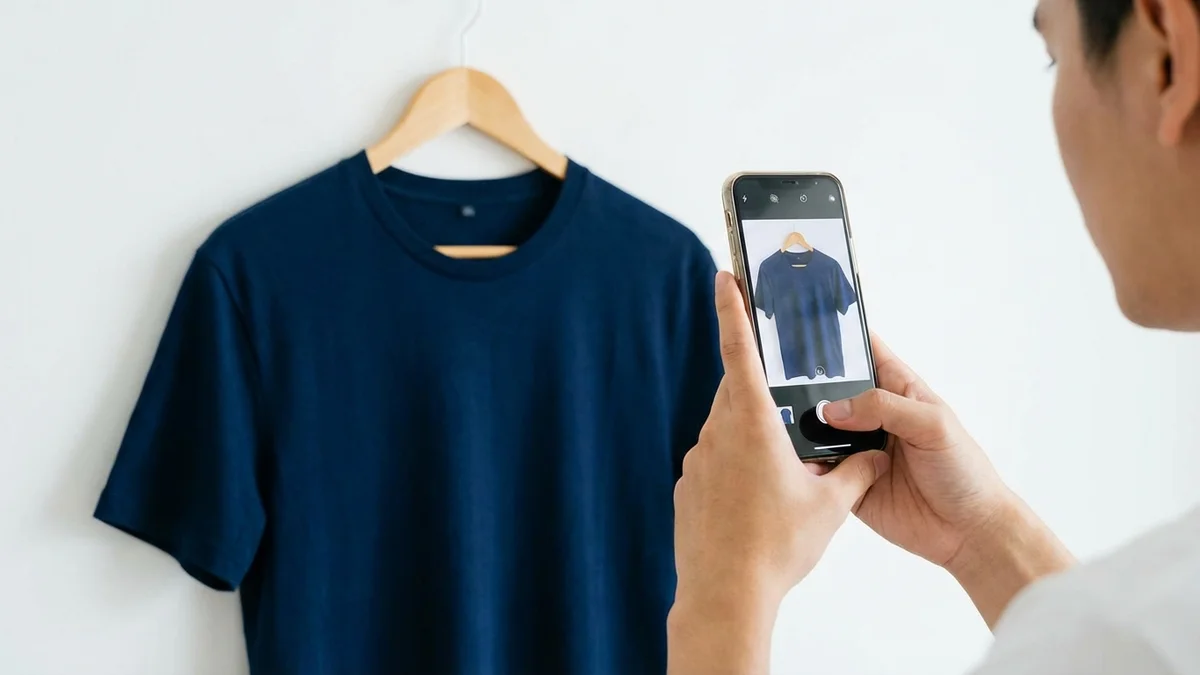
First, you add your clothes to the app. Most apps offer multiple methods:
- Photo capture: Take pictures of items laid flat or on hangers
- Background removal: AI automatically cuts out backgrounds for clean images
- Web clipping: Save items from online stores you've purchased
- Receipt import: Some apps can pull items from emailed receipts
The best apps like Whering and Indyx offer batch uploading, letting you add 50+ items at once. Their AI automatically detects colors, categories, and sometimes even brands.
87% of new users prioritize AI-powered suggestions over manual outfit creation, making smart digitization essential.
Stage 2: Organizing Your Digital Closet
Once items are uploaded, apps organize them into categories:
- Tops, bottoms, dresses, outerwear
- Colors and patterns
- Seasons and occasions
- Brands and purchase dates
You can add custom tags like "work appropriate," "casual Friday," or "date night" to make filtering easier. Some apps track cost-per-wear statistics, showing you which items deliver the best value.
Stage 3: Creating Outfits
The creation process varies by app but typically includes:
- Canvas mode: Drag items onto a virtual mannequin or flat-lay canvas
- Swipe mode: Flip through items like cards to build combinations
- AI generation: Let the algorithm suggest complete outfits
- Calendar planning: Assign outfits to specific dates
Key Takeaway: Modern outfit apps use AI to handle the tedious work of background removal and categorization, letting you focus on the creative part of styling.
What Are the Best Create Outfit Apps in 2026?
The outfit app market offers dozens of options ranging from completely free to premium subscriptions. After analyzing user reviews, feature sets, and real-world performance, these apps stand out as the best choices for different needs.
Best Free Outfit Apps
1. Whering
Whering leads the free wardrobe app category with over 7 million users. The app offers unlimited items, unlimited outfits, and strong AI features without requiring payment.
Pros:
- Completely free with no item limits
- Excellent automatic background removal
- Batch upload (50+ images at once)
- Strong community for outfit inspiration
- Sustainability tracking features
Cons:
- Some advanced analytics require premium
- Occasional sync issues reported
Rating: 4.7/5 (44,600+ reviews)
2. Pureple
Pureple remains one of the most accessible outfit planners, offering solid functionality across both iOS and Android.
Pros:
- Free with no subscription required
- AI outfit suggestions
- Weather integration
- Cross-platform syncing
Cons:
- Interface feels dated compared to newer apps
- Limited customization options
Rating: 3.9/5 (5,800+ reviews)
3. Fits
Fits combines beautiful design with powerful features, making it the most visually appealing free option.
Pros:
- Clean, intuitive interface
- Fast background removal
- AI stylist learns your preferences
- Virtual try-on features
- Mood board creation
Cons:
- Some features locked behind premium
- Newer app with smaller community
Rating: 4.7/5
Best Premium Outfit Apps
4. Stylebook
Stylebook has been the gold standard for serious fashion enthusiasts since launching years ago.
Pros:
- 90+ features for wardrobe management
- Detailed statistics and analytics
- Packing list creation
- Outfit calendar with history
Cons:
- $4.99 upfront cost
- iOS only
- Steeper learning curve
Rating: 4.7/5 (7,500+ reviews)
5. Acloset
Acloset offers powerful AI features but limits free users to 100 items.
Pros:
- Strong AI styling recommendations
- Shopping advisor feature
- Brand recognition
Cons:
- 100-item limit on free tier
- Subscription required for full access
Rating: 4.6/5
6. Cladwell
Cladwell focuses specifically on capsule wardrobe creation and minimalist fashion.
Pros:
- Daily outfit recommendations
- Capsule wardrobe templates
- Weather-based suggestions
Cons:
- Subscription-based model
- Less flexibility for creative styling
Rating: 4.3/5
Comparison Table: Top Outfit Apps 2026
| App | Price | Item Limit | AI Styling | Virtual Try-On | Rating |
|---|---|---|---|---|---|
| Whering | Free | Unlimited | Yes | No | 4.7 |
| Pureple | Free | Unlimited | Yes | Limited | 3.9 |
| Fits | Free/Premium | Unlimited | Yes | Yes | 4.7 |
| Stylebook | $4.99 | Unlimited | No | No | 4.7 |
| Acloset | Free/Premium | 100 (free) | Yes | No | 4.6 |
| Cladwell | Subscription | Unlimited | Yes | No | 4.3 |
| Indyx | Free/Premium | Unlimited | Yes | No | 4.7 |
Are Outfit Maker Apps Really Free?
Many outfit maker apps advertise as "free" but use different monetization models that affect your experience. Understanding these models helps you choose an app that matches your budget and expectations.
Free App Business Models
| Model | How It Works | Example Apps |
|---|---|---|
| Freemium | Basic features free, premium upgrades paid | Fits, Acloset |
| Completely Free | All features free, monetized through data/ads | Whering, Pureple |
| One-Time Purchase | Pay once, own forever | Stylebook ($4.99) |
| Subscription | Monthly/yearly fee for access | Cladwell, Indyx Premium |
Truly free options like Whering and Pureple offer impressive functionality without payment. However, they may show ads or collect data for marketing purposes.
Freemium apps typically limit either the number of items you can add (Acloset's 100-item cap) or restrict advanced features like AI styling to paid tiers.
Key Takeaway: Whering and Pureple offer the best completely free experiences, while Stylebook's one-time $4.99 purchase delivers premium features without ongoing subscriptions.
Can AI Really Create Outfits for Me?
Yes, and the technology has advanced dramatically in 2026. AI outfit creation now goes far beyond random combinations, using machine learning trained on millions of outfit examples to generate genuinely stylish suggestions.
How AI Styling Works
Modern AI stylists analyze multiple factors:
- Your wardrobe contents: Colors, styles, and item types you own
- Wear history: What combinations you've saved or worn before
- Weather data: Current and forecasted conditions in your location
- Calendar events: Occasions requiring specific dress codes
- Style preferences: Your feedback on suggestions over time
Apps like Pronti train their AI on over 100 million outfit combinations, creating recommendations that reflect real-world fashion principles rather than arbitrary pairings.
73% of wardrobe app users consider AI-powered suggestions essential, and apps that offer them see 40% higher engagement rates.
AI Outfit Features by App
| Feature | Whering | Fits | Acloset | Pureple |
|---|---|---|---|---|
| Daily suggestions | Yes | Yes | Yes | Yes |
| Weather-based | Yes | Yes | Yes | Yes |
| Learning algorithm | Yes | Yes | Yes | Limited |
| Occasion-specific | Yes | Yes | Yes | No |
| Color matching | Yes | Yes | Yes | Yes |
The AI isn't perfect. It works best when you've added enough items to your wardrobe (ideally 50+) and provided feedback on its suggestions. Most apps improve their recommendations after 2-3 weeks of use.
How to Use a Create Outfit App: Step-by-Step
Getting started with an outfit app takes some initial effort, but the time investment pays off quickly. Here's how to set up and use your app effectively.
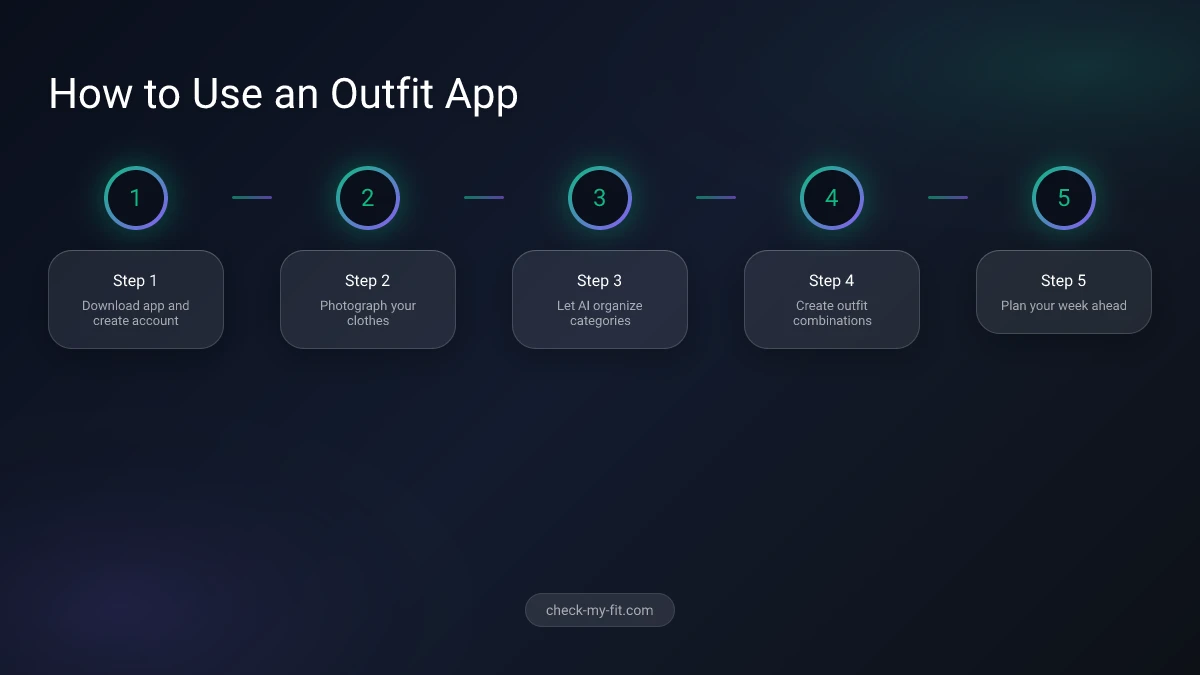
Step 1: Choose Your App
Consider these factors:
- Platform: iOS, Android, or both?
- Budget: Free, one-time purchase, or subscription?
- Primary need: Organization, outfit creation, or both?
- Features: Do you need AI styling, virtual try-on, or community features?
For most users, starting with a free app like Whering or Fits makes sense. You can always upgrade or switch later.
Step 2: Digitize Your Wardrobe
Set aside 1-2 hours for initial setup:
- Prepare your space: Good lighting and a neutral background help
- Photograph items: Lay flat or hang on white background
- Batch upload: Use the app's bulk upload feature
- Let AI categorize: Most apps auto-detect colors and types
- Add custom tags: Include occasions, seasons, and personal notes
Pro tip: Start with your most-worn items (around 50 pieces) rather than your entire closet. You can add more over time.
Step 3: Create Your First Outfits
Once items are uploaded:
- Enter the outfit creation screen
- Select a base piece (usually bottoms or a dress)
- Add complementary items
- Save the outfit with a name and occasion tags
- Repeat to build a collection of go-to looks
Step 4: Plan Your Week
Use the calendar feature to:
- Assign outfits to upcoming days
- Check weather forecasts for each day
- Avoid outfit repetition
- Prepare for special events in advance
Step 5: Refine Over Time
The app gets smarter as you use it:
- Rate AI suggestions (thumbs up/down)
- Mark items you wear frequently
- Remove clothes you've donated or discarded
- Update with new purchases
Key Features to Look for in Outfit Apps
Not all outfit apps are created equal. These features separate the truly useful apps from the mediocre ones.
Essential Features
Background Removal: Look for automatic AI-powered removal that creates clean, uniform images. Apps with poor background removal make your digital wardrobe look messy.
Outfit Canvas: The ability to drag and position items on a virtual canvas or mannequin. This visual representation helps you see how pieces work together.
Category Organization: Automatic sorting by type (tops, bottoms, etc.) plus custom tagging for occasions and seasons.
Search and Filter: As your wardrobe grows, you need robust search to find specific items quickly.
Advanced Features Worth Paying For
Weather Integration: Real-time forecasts that influence outfit suggestions. Especially valuable if your climate varies.
Calendar Sync: Connect with your phone's calendar to dress appropriately for meetings, events, and activities.
Statistics and Analytics: Track cost-per-wear, most-worn items, and wardrobe gaps. These insights help you shop smarter.
Virtual Try-On: See how outfits look on your body before wearing them. This bridges the gap between digital planning and physical wearing.
Feature Comparison
| Feature | Why It Matters | Must-Have? |
|---|---|---|
| Background removal | Clean, professional look | Yes |
| AI suggestions | Saves time, inspires creativity | Recommended |
| Weather integration | Practical daily use | Recommended |
| Calendar planning | Event preparation | Nice to have |
| Cost-per-wear | Shopping insights | Nice to have |
| Virtual try-on | Visualization accuracy | Nice to have |
Virtual Try-On: The Next Level of Outfit Planning
While traditional outfit apps show your clothes on a flat canvas, virtual try-on technology lets you see how outfits actually look on your body. This technology has matured significantly in 2026, offering realistic previews that help you make confident outfit decisions.
How Virtual Try-On Enhances Outfit Apps
Virtual try-on uses AI to:
- Analyze your body shape and proportions
- Simulate how fabric drapes and fits
- Show realistic lighting and shadows
- Preview complete outfits before you put them on
This technology solves a key limitation of traditional outfit apps: what looks good on a flat canvas might not work on your actual body.
Apps with Virtual Try-On Features
Several apps now integrate virtual try-on:
- Fits: Offers AI try-on for visualizing outfits
- Pureple: Limited virtual model features
- Combyne: Social try-on for community outfits
For the most accurate virtual try-on experience, dedicated tools like CheckMyFit specialize in showing exactly how clothes look on your body. Unlike basic outfit planners, CheckMyFit uses advanced AI to simulate fabric behavior, fit, and appearance on your specific body type.
Key Takeaway: Virtual try-on bridges the gap between planning outfits digitally and knowing how they'll actually look when worn.
Combining Outfit Apps with Virtual Try-On
The ideal workflow combines both technologies:
- Plan in your outfit app: Create combinations using your wardrobe
- Try on virtually: Use CheckMyFit to preview how outfits look on you
- Refine your choices: Adjust based on virtual try-on results
- Save winning outfits: Add confirmed combinations to your calendar
This approach eliminates the frustration of planning an outfit that looks great in the app but disappoints when you actually put it on.
Benefits of Using an Outfit Creation App
Outfit apps deliver measurable value beyond just convenience. Here's what regular users report after adopting these tools.
Time Savings
The average person spends 17 minutes each morning deciding what to wear. With an outfit app, that drops to under 5 minutes because decisions are made in advance.
Over a year, that's 73 hours saved—nearly two full work weeks of time recovered for other activities.
Increased Wardrobe Utilization
Research shows most people wear only 20-30% of their clothes regularly. Outfit apps change this:
Users of digital wardrobe apps increase their clothing utilization from 30% to 69%, reducing the number of "I have nothing to wear" moments dramatically.
Reduced Shopping Waste
When you can see your entire wardrobe digitally, you:
- Avoid buying duplicates
- Identify actual gaps in your closet
- Shop more intentionally
- Resist impulse purchases
Better Style Confidence
Pre-planned outfits eliminate morning stress and second-guessing. You know your outfit works because you designed it thoughtfully, not while half-asleep.
Financial Benefits
| Benefit | Impact |
|---|---|
| Fewer impulse purchases | Save $500-1000/year |
| Reduced returns | Save time and shipping |
| Higher cost-per-wear | Better value from clothes |
| Smarter shopping | Buy only what you need |
How Outfit Apps Support Sustainable Fashion
Sustainability has become a major focus for outfit apps in 2026. These tools naturally promote more conscious fashion consumption.
Wear More of What You Own
The biggest environmental impact comes from simply using your existing clothes more. Outfit apps make this easier by:
- Surfacing forgotten items
- Creating new combinations from existing pieces
- Tracking wear frequency to identify neglected pieces
- Encouraging "shopping your closet" before buying new
Reduce Returns and Waste
When you plan outfits digitally and use virtual try-on, you buy with more confidence. This means fewer returns, less shipping, and reduced packaging waste.
Support Secondhand Shopping
Many apps now integrate with resale platforms, letting you:
- List unworn items for sale
- Shop secondhand to fill wardrobe gaps
- Track the environmental impact of buying pre-owned
Apps with Sustainability Features
| App | Sustainability Features |
|---|---|
| Whering | Wear tracking, eco tips, resale integration |
| Save Your Wardrobe | Repair services, upcycling suggestions |
| Indyx | Cost-per-wear tracking, wardrobe analysis |
Recommended Products for Outfit Planning
To get the best results from outfit apps, having the right setup for photographing your clothes makes a real difference.
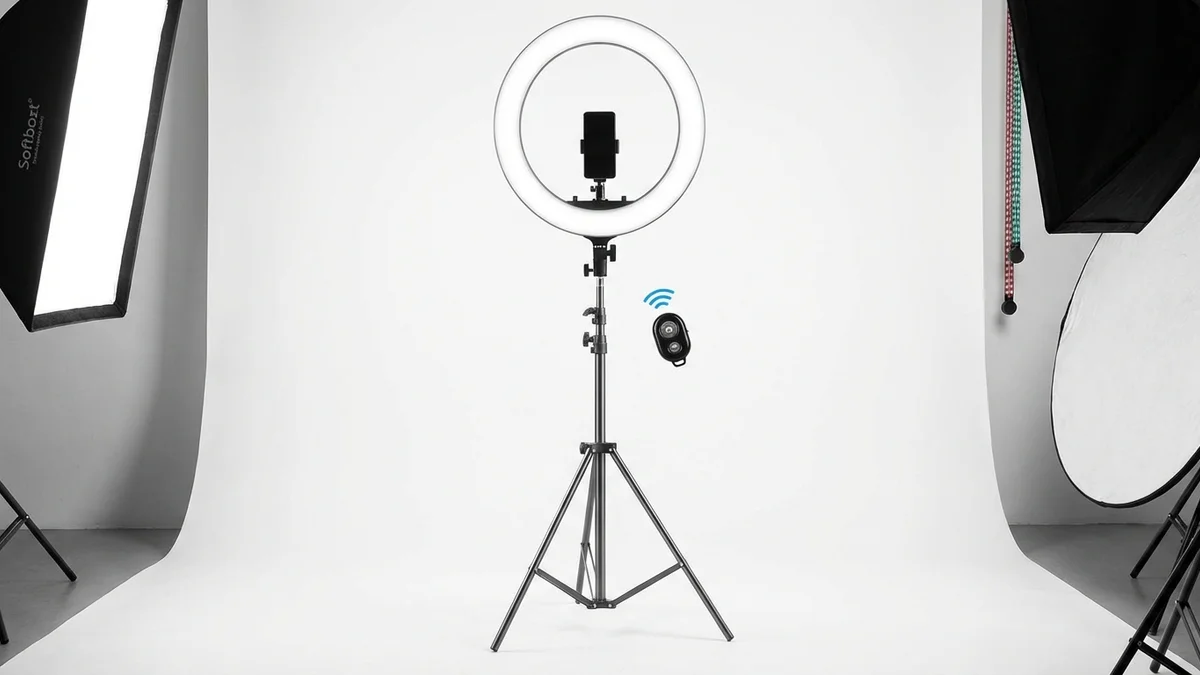
Perfect lighting for photographing clothes with accurate colors. Eliminates shadows for clean outfit app images.
View on Amazon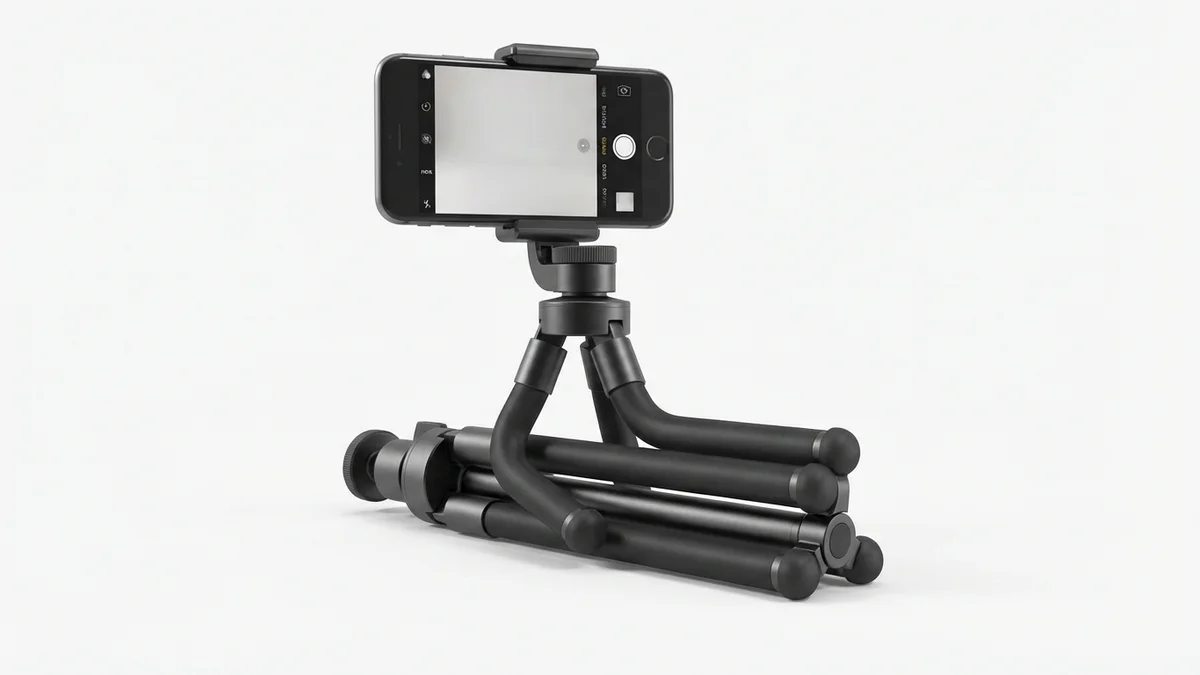
Stable phone positioning for consistent clothing photos. Adjustable height works for flat lays and hanging shots.
View on Amazon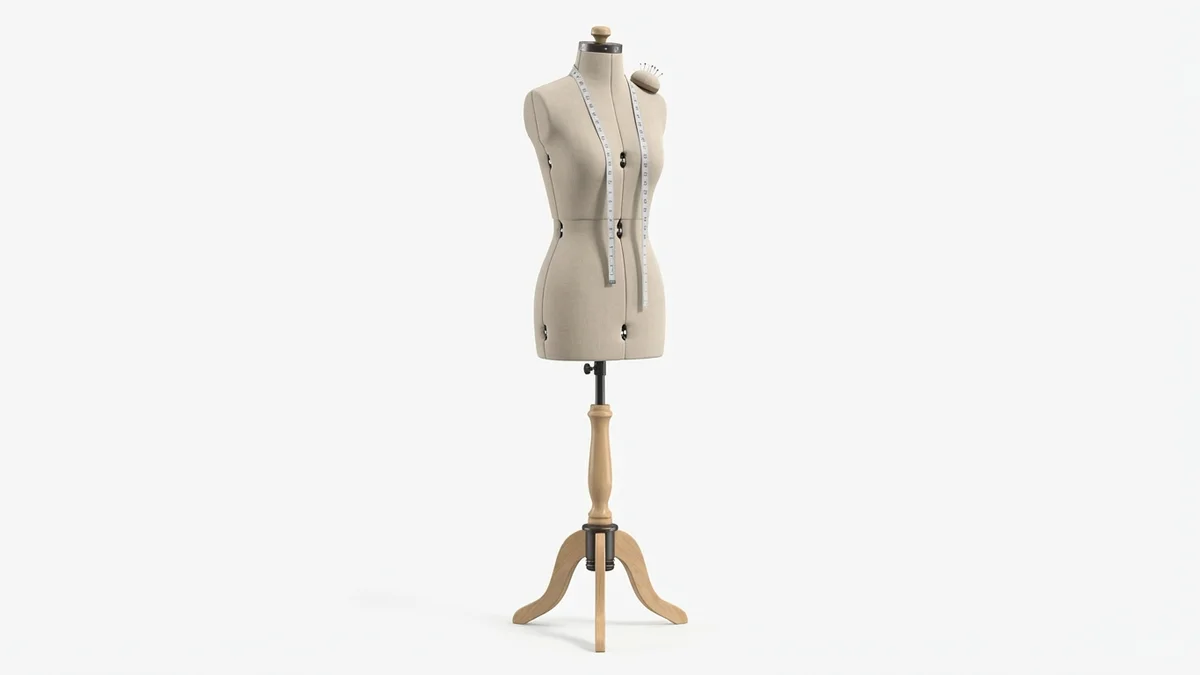
Display clothes naturally for more realistic photos. Adjustable sizing helps capture accurate fit representation.
View on AmazonFrequently Asked Questions
Is it difficult to digitize my wardrobe in an outfit app?
Digitizing your wardrobe is easier than most people expect. Modern apps use AI-powered background removal that automatically creates clean images from your photos. Most users can add 50-100 items in about an hour. The key is starting with your most-worn pieces rather than trying to photograph everything at once. Apps like Whering allow batch uploads of 50+ images simultaneously, speeding up the process significantly.
Which create outfit app has the best AI styling features?
Fits and Acloset currently offer the most advanced AI styling, learning your preferences over time and generating increasingly relevant suggestions. Whering provides strong AI features for free, while Pronti's AI is trained on over 100 million outfit combinations. The best AI for you depends on your style—try a few free options to see which recommendations resonate with your taste.
Can outfit apps help reduce clothing waste?
Yes, outfit apps directly support sustainable fashion by helping you wear more of what you already own. Studies show users increase clothing utilization from 30% to 69% after using wardrobe apps. By surfacing forgotten items, suggesting new combinations, and tracking wear frequency, these apps reduce the perceived need for new purchases and help you identify clothes to donate.
Do outfit apps work with the clothes I already own?
Absolutely. Outfit apps are designed specifically for your existing wardrobe. You photograph your actual clothes, upload them to the app, and create outfits from what you own. Some apps also let you add items from online stores to see how potential purchases might work with your current wardrobe before buying.
What's the difference between free and paid outfit apps?
Free apps like Whering and Pureple offer core features including wardrobe cataloging, outfit creation, and basic AI suggestions. Paid apps typically add advanced analytics (cost-per-wear tracking), unlimited cloud storage, premium AI features, and ad-free experiences. Many apps use a freemium model where basic features are free but advanced capabilities require a subscription.
Are outfit creator apps suitable for all genders and ages?
Yes. While fashion apps historically skewed toward women, most modern outfit apps serve all genders equally. Apps like Fits, Whering, and Acloset include diverse body types and style options. The core functionality—cataloging clothes, creating outfits, getting suggestions—works regardless of gender, age, or style preferences.
Can I share my outfits on social media from these apps?
Most outfit apps include social sharing features. Apps like Combyne and Shuffles emphasize community, letting you share outfits, join style challenges, and discover inspiration from other users. Even more private apps like Stylebook allow exporting outfit images to share on Instagram or Pinterest. You can typically control privacy settings to keep your wardrobe private while sharing select outfits.
How do I choose the best outfit app for my needs?
Start by identifying your primary goal: organization (cataloging), creation (building outfits), or styling (AI recommendations). Then consider your platform (iOS/Android), budget (free/paid), and must-have features (weather integration, virtual try-on, calendar). Download 2-3 free apps to test the interface and workflow. Most people find their preferred app within a week of trying alternatives.
Conclusion
Create outfit apps have transformed from novelty tools into essential fashion technology. With the market reaching $2.3 billion and over 180 million users worldwide, these apps prove their value in saving time, reducing waste, and improving daily style decisions.
The best app for you depends on your specific needs. For completely free, full-featured solutions, Whering leads the pack. For the best interface and AI features, Fits delivers an excellent experience. For data-driven fashion management, Stylebook remains the power user's choice.
Whatever app you choose, the key is actually using it. Start by adding 50 items from your most-worn clothes. Spend a week creating outfits and trying AI suggestions. Let the app learn your preferences. Within a month, you'll wonder how you ever managed without it.
Ready to see how your planned outfits actually look on you? Try CheckMyFit to preview any outfit with AI-powered virtual try-on technology. Upload your photo, select clothes from any store, and see exactly how they'll appear on your body before buying or wearing.